Anonymous user
Title
Review.
View an ad to download for free
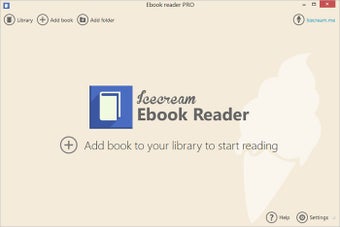
Icecream Ebook Reader helps organize ebooks in EPUB, MOBI, PDF, FB2, CBZ and CBR formats into a digital library and read books the way you like it.
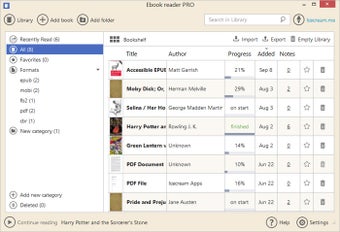
The program lets you systematize the books within the library and have a quick access to any of them whenever you need. Thus, you can switch from Bookshelf mode to Table view to check detailed information about the file. If your library appears to be too large to find a necessary book manually, you can use special filters and sort the books out by the following categories: All, Recently read, Favorites, and Formats. You can also create custom categories within the Library.

The program aids the users tremendously when it comes to reading. Particularly, it features special options like Full screen and Window modes, bookmarking tool, font size adjustment, etc.
- Copy text and paste it whenever needed;
- Translate selected text with Google Translate;
- Search text online;
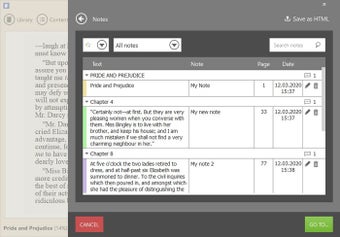
- Annotate text and save the notes as HTML files;
- Highlight text;
- Export and import Library to never lose your reading progress;
- Use navigation scrollbar to easily find the right parts of the books;
- Search within the Library;
- Search within a book by text or by page number;
- Search within the added notes;
- Quick access to the desired parts of the book through the table of contents and list of bookmarks;
- Ability to make the font size larger or smaller;
- Changeable page layout (columns and regular);
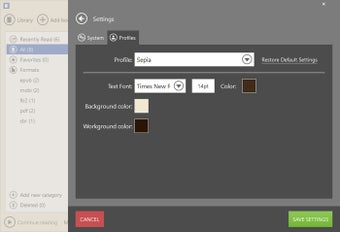
- Profiles (“Day” for reading in good lighting, “Night” for reading in low or no light, “Sepia” – for reading in average lighting conditions).
The program would be absolutely irreplaceable if you love reading books on your PC but don’t have a special program for managing it . Icecream Ebook Reader is easy to use, and highly effective even when it comes to loads of ebooks. Unlike other basic readers, this program allows you to customize the process and make it as convenient as possible.
Easy reading for Windows users
Free E-Reader That Offers Free Books
Read and Convert eBooks with Adobe Acrobat eBook Reader


Trial version
Windows
Windows 7
English
77.5K
32.61 MB
View an ad to download for free
1 reviews
Review.
Comment.
Very limited free services in this app. For example, to add books the free service allows you to add them by the file. If you want to add folders you need to pay. Also, the TTS voices don't recognize additional voice installs in Narrator leaving you limited to Zira and David. Don't expect a good quality voice from this if you want it to read.
Easy reading for Windows users
Free E-Reader That Offers Free Books
Read and Convert eBooks with Adobe Acrobat eBook Reader
Free E-Reader for Windows Users
A smart way to map your ideas
KooBits: A Free E-Reader for Windows
Comprehensive Overview of Mobipocket Reader Desktop
Read books digitally
Ultra eBook Reader - Read eBooks on Your PC
Miru: Manga, Anime, and Novel Reader for Windows
A versatile eBook reader for Windows
Comprehensive E-reader for Windows Users
EPUB Book Translator for E-Readers
Fast and lightweight PDF viewer
KReader for Windows
Create, convert and print PDF documents
A great way to keep track of all the things you read
The best e-book reader for you